Listing Accounts with Their Respective Contacts using Callable
Objective
Create a table list that displays Salesforce Account information with their respective Contacts, using the Callable feature in docu2.me.
Introduction
This example demonstrates the use of Callable, which allows developers to use a common interface to create loosely coupled integrations between Apex classes or triggers, even for code in separate packages.
Step-by-Step Guide
- Creating a New Document in docu2.me
- Open docu2.me and create a new document
- Define that we will be working with the Account Object, which is related to the Contact Object
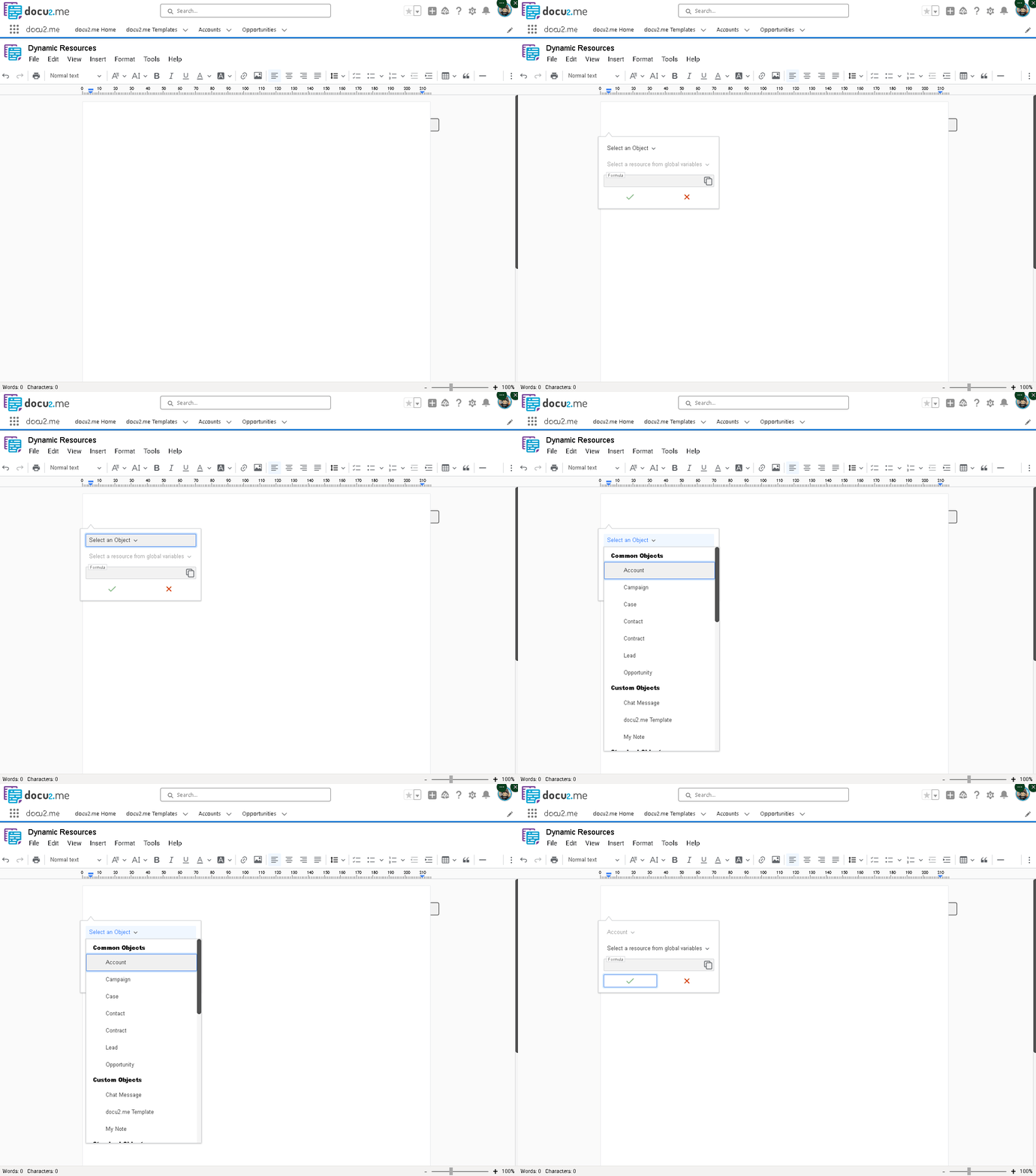
Creating a new document and accessing Resource Manager
- Creating the Apex Callable Class
Create a new Apex Class in your Salesforce Organization or in your preferred code editor:
global with sharing class CallableSample implements Callable {
    global Object call(String action, Map<String,Object> args) {
        if (action.equalsIgnoreCase('generateAccountsWithContacts')) {
            return generateAccountsWithContacts(args);
        }
        return 'Action not implemented: ' + action;
    }
    private String generateAccountsWithContacts(Map<String,Object> args) {
        try {
            Integer accountLimit = Integer.valueOf(args.get('AccountLimit') ?? '10');
            Integer contactLimit = Integer.valueOf(args.get('ContactLimit') ?? '5');
            List<Account> accounts = [SELECT Name, Website,
                                      (SELECT Name, Title, Phone, Email FROM Contacts LIMIT :contactLimit)
                                      FROM Account
                                      LIMIT :accountLimit];
            return generateHTMLTable(accounts, contactLimit);
        } catch (Exception e) {
            return 'Error generating table: ' + e.getMessage();
        }
    }
    private String generateHTMLTable(List<Account> accounts, Integer contactLimit) {
        List<String> rows = new List<String>{
            '<table border="1" style="border-collapse: collapse; margin: auto; width: auto;">'
        };
        for (Account acc : accounts) {
            rows.add('<tr style="background-color: #f2f2f2;"><td style="padding: 8px; font-weight: bold;">' +
                acc.Name + (String.isNotBlank(acc.Website) ? ' - ' + acc.Website : '') + '</td></tr>');
            rows.add('<tr><td style="padding: 8px;"><table style="width: 100%; border-collapse: collapse;">');
            rows.add('<tr style="background-color: #e6e6e6;"><th style="padding: 4px; border: 1px solid #ddd;">Name</th>' +
                '<th style="padding: 4px; border: 1px solid #ddd;">Title</th>' +
                '<th style="padding: 4px; border: 1px solid #ddd;">Phone</th>' +
                '<th style="padding: 4px; border: 1px solid #ddd;">Email</th></tr>');
            if (!acc.Contacts.isEmpty()) {
                for (Contact con : acc.Contacts) {
                    rows.add('<tr><td style="padding: 4px; border: 1px solid #ddd;">' + (con.Name ?? '') + '</td>' +
                        '<td style="padding: 4px; border: 1px solid #ddd;">' + (con.Title ?? '') + '</td>' +
                        '<td style="padding: 4px; border: 1px solid #ddd;">' + (con.Phone ?? '') + '</td>' +
                        '<td style="padding: 4px; border: 1px solid #ddd;">' + (con.Email ?? '') + '</td></tr>');
                }
                if (acc.Contacts.size() == contactLimit) {
                    rows.add('<tr><td colspan="4" style="padding: 4px; text-align: center; font-style: italic;">' +
                        '... and possibly more contacts</td></tr>');
                }
            } else {
                rows.add('<tr><td colspan="4" style="padding: 4px; text-align: center; font-style: italic;">' +
                    'No contacts</td></tr>');
            }
            rows.add('</table></td></tr><tr><td style="padding: 8px;"></td></tr>');
        }
        rows.add('</table>');
        return String.join(rows, '');
    }
}
Main Components of the Class:
- Implementation of Callable Interface: Handles the received action and arguments
- Retrieval of Account and Contact Data: Fetches accounts with their related contacts
- HTML Table Generation: Creates a formatted HTML table with styling for visual presentation
-
Configuring the Callable in docu2.me
-
In the docu2.me document, right-click and choose "Resource Manager"
-
Select "New Resource"
-
Configure the resource:
- Resource Type: "Callable"
- Callable API Name: "generateAccountsWithContacts"
- Salesforce Apex Class: "CallableSample"
- Add the arguments:
- Key: AccountLimit | Value: 3
- Key: ContactLimit | Value: 2
- Save the settings
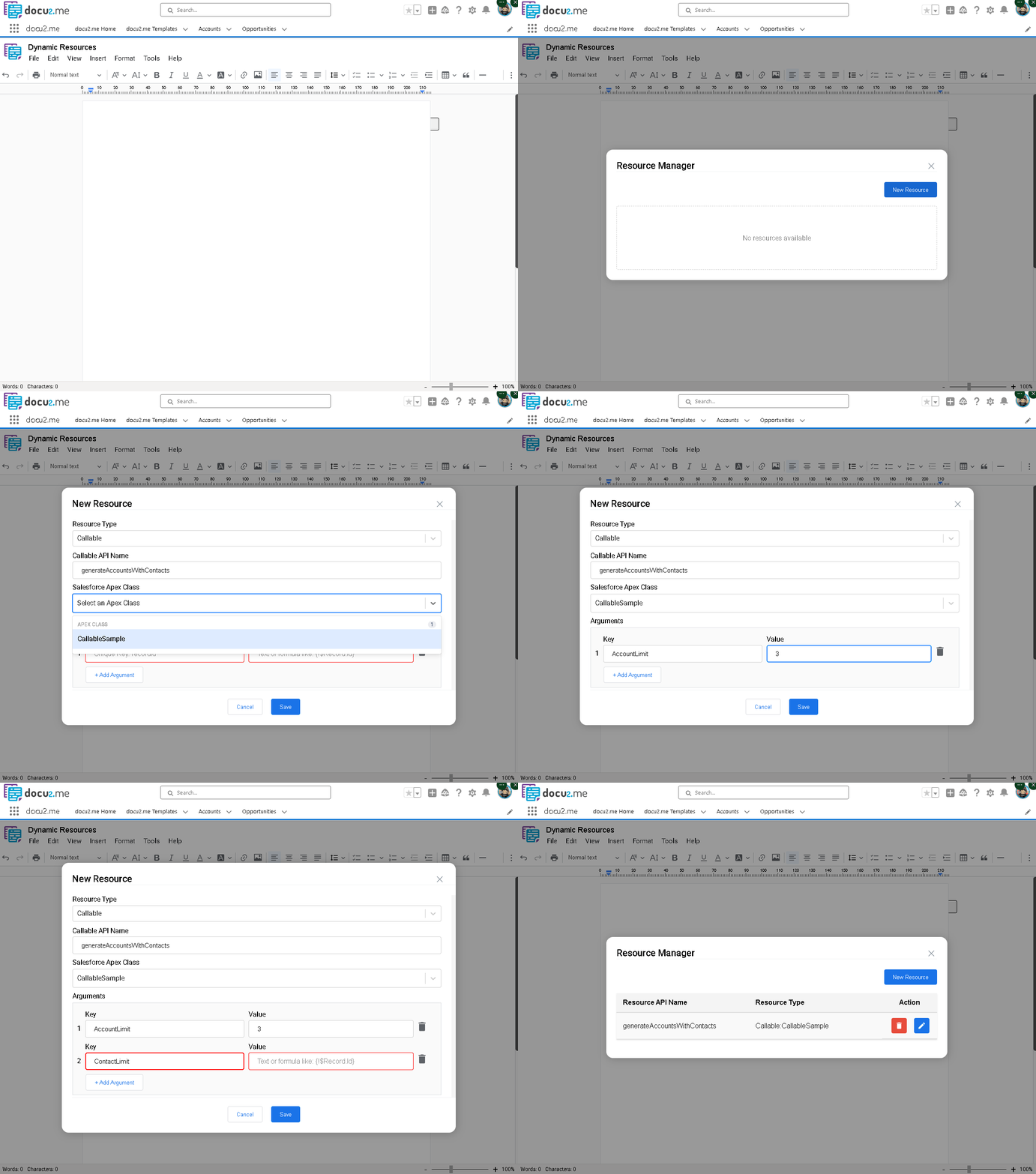
Configuring the Callable resource with arguments
-
Inserting the Callable into the Document
-
Right-click in the document
-
Choose "Dynamic Fields"
-
In "Select a resource from global", navigate to:
Document Resource > Local Callable Apex > generateAccountsWithContacts
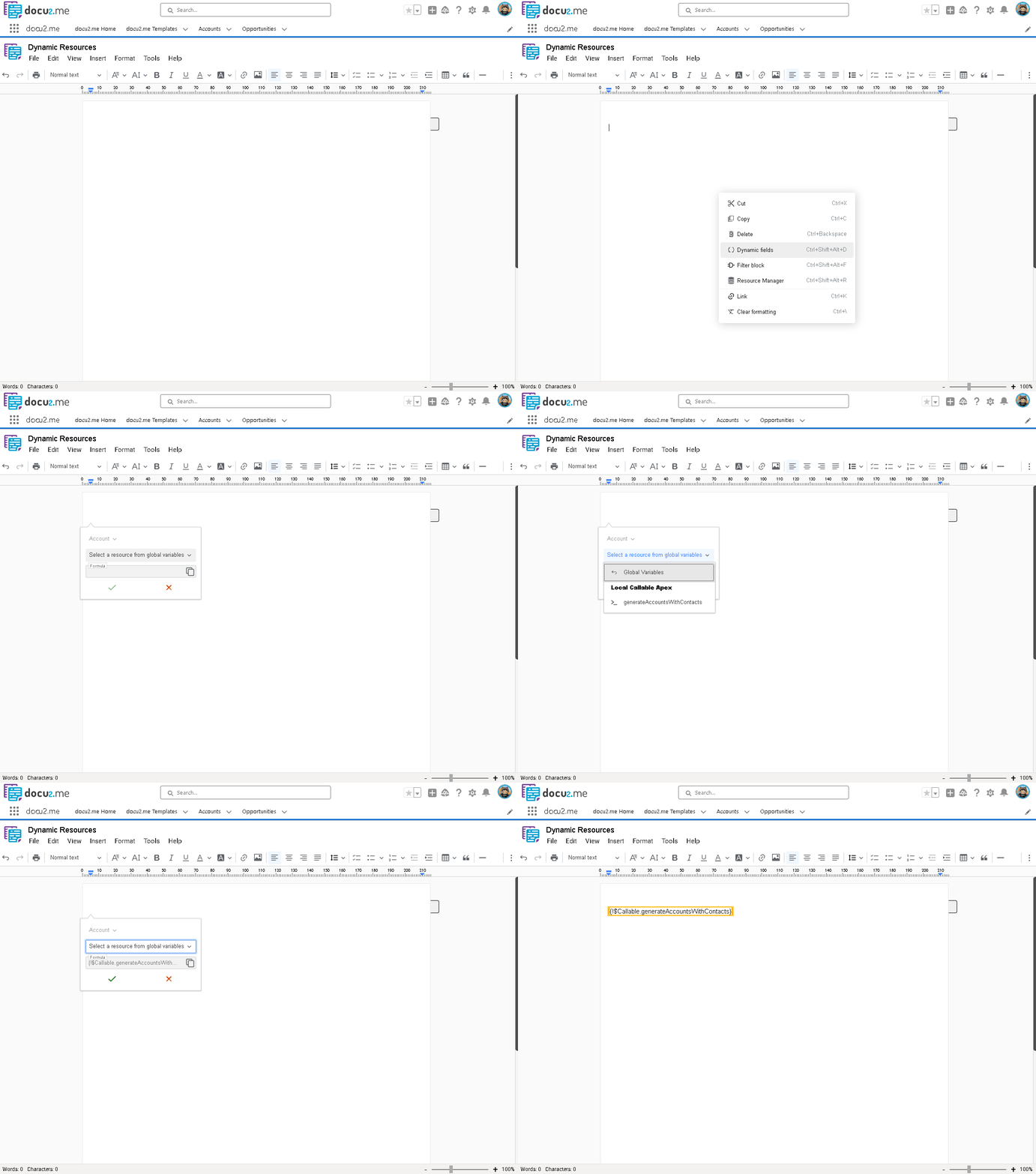
Inserting the Callable dynamic field into the document
Insert the dynamic field: {!$Callable.generateAccountsWithContacts}
- Preview and Testing
Use the preview or print button to view the result.
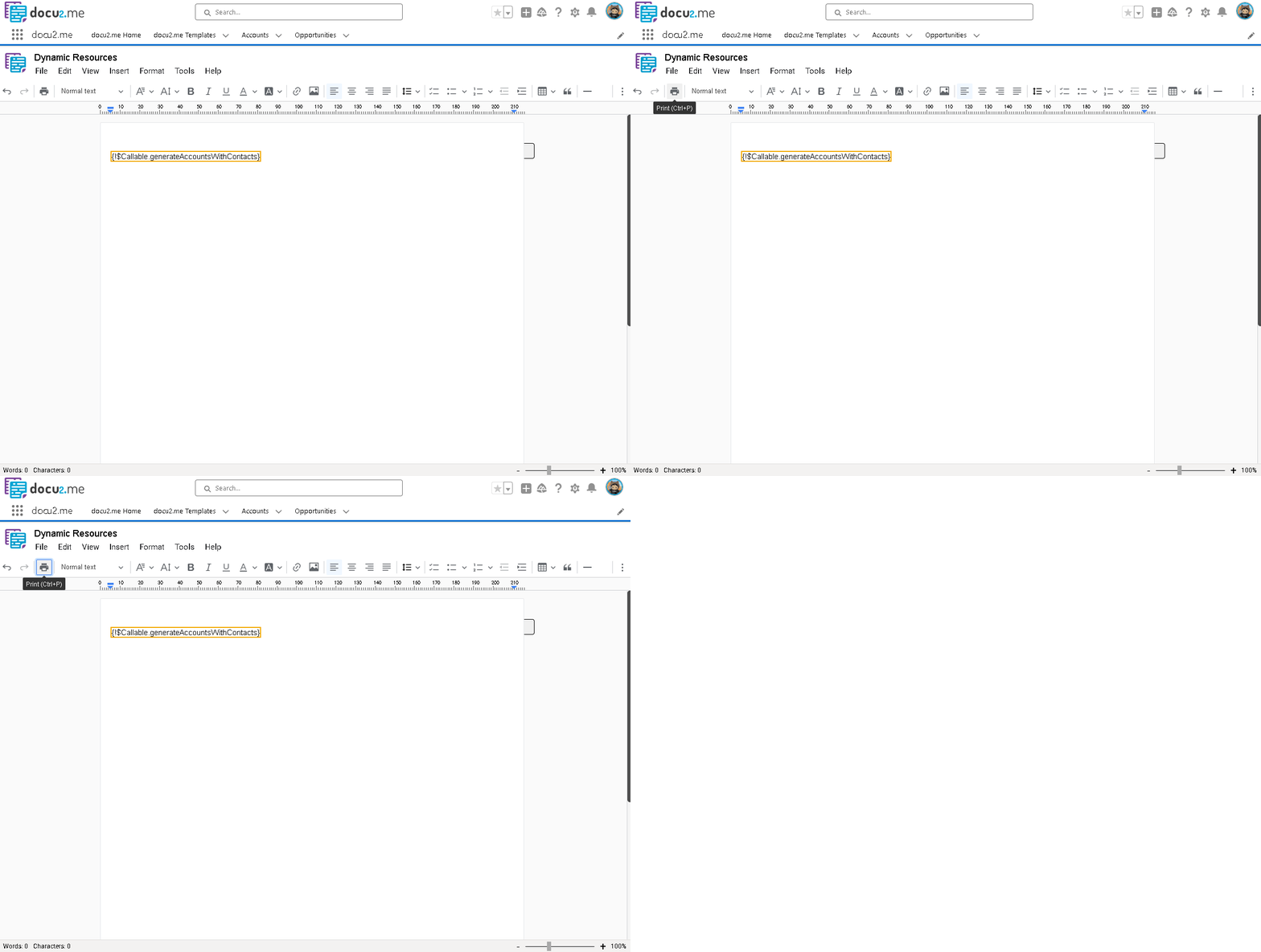
Previewing the document with generated Account and Contact data
Expected Result
The generated HTML table will display:
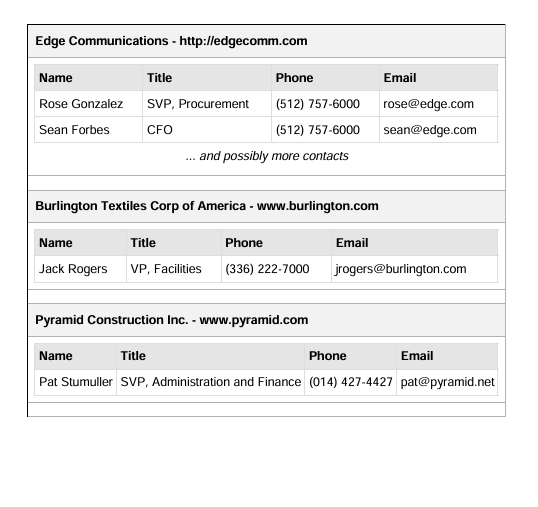
Final output of the Account and Contact table
- Account name and website in the header
- Contact details in a nested table including:
- Name
- Title
- Phone
Example Output
- Account 1
- Contact 1
- Contact 2
... and possibly more contacts
- Account 2
- Contact 1
- Account 3
- Contact 1
Important Considerations
- Customization: The limits for accounts (3) and contacts (2) can be adjusted as needed
- Performance: Consider the data volume when setting limits
- Error Handling: The class includes basic error handling
- Styling: The HTML table includes basic styles for better presentation
Best Practices
- Setting Limits: Balance details and performance based on your org's data volume
- Error Handling: Always check the returned value and consider implementing additional error logs
- Performance Considerations: Monitor performance with larger datasets and consider implementing caching if necessary
How to Use
Basic Implementation
- Action: generateAccountsWithContacts
- Arguments:
- AccountLimit: 10
- ContactLimit: 5
Default Settings (10 Accounts, 5 Contacts each)
- Action: generateAccountsWithContacts
- Arguments: {}
Custom Limits
- Action: generateAccountsWithContacts
- Arguments:
- AccountLimit: 3
- ContactLimit: 2
Maximum Display
- Action: generateAccountsWithContacts
- Arguments:
- AccountLimit: 50
- ContactLimit: 10
Example Apex Implementation
CallableSample sample = new CallableSample();
Map<String,Object> args = new Map<String,Object>{
    'AccountLimit' => '5',
    'ContactLimit' => '3'
};
String result = (String)sample.call('generateAccountsWithContacts', args);
This example demonstrates the advanced integration between docu2.me and Salesforce, allowing the creation of dynamic and customized documents with related Account and Contact data.